Multi Roller Setup MIRA5
Multi Roller Setup MIRA5
What You Need
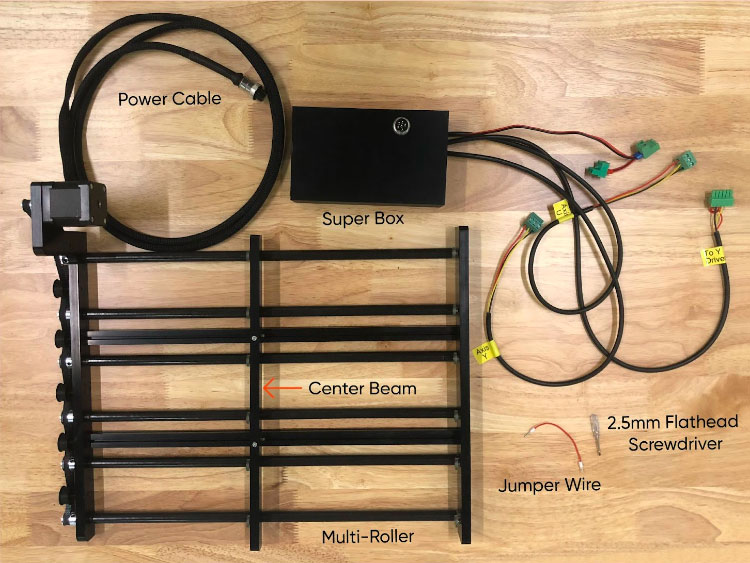
- Multi-Roller
- Supplied Jumper Wire
- Cabinet Key
- 2.5mm Flathead Screwdriver
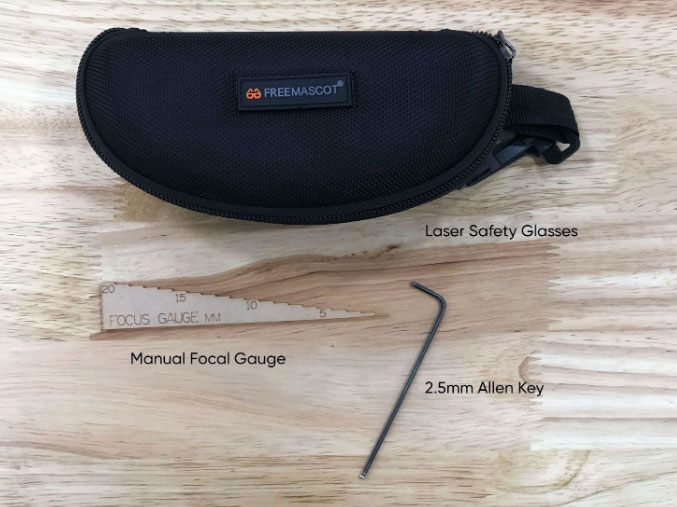
- 2.5mm Allen Key
- 20.5mm Manual Focal Gauge
- Laser Safety Glasses
Need assistance?
Book time with a qualified technician and unlock the potential of your Multi-Roller.
Steps
☠️ Warning ☠️ Turn OFF and unplug the power cord from the rear of the machine before starting.
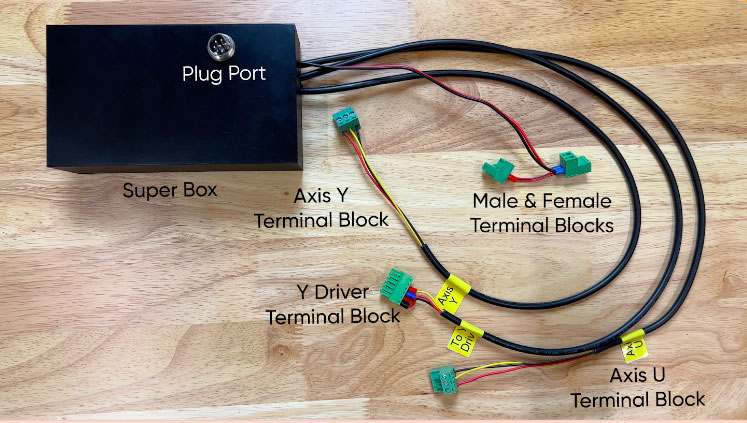
Lay out the Multi-Roller and the Super Box to identify the parts using the diagram below.
- Remove the lower access panel on the left side of the machine. Set the panel aside.
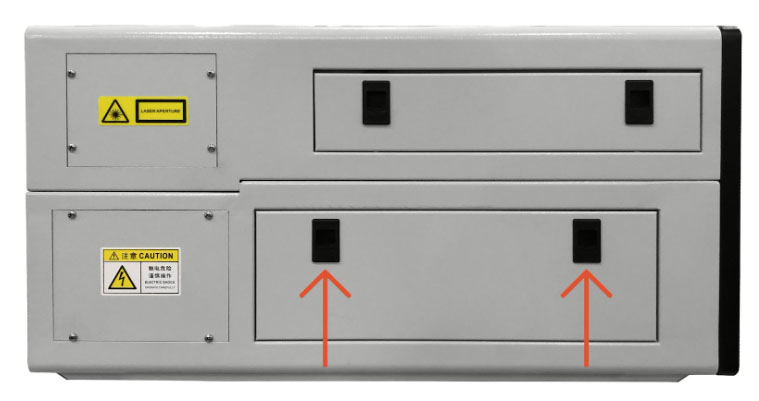
view of MIRA 5 side panel - Open the lid and lower the access door on the front of the machine.
- The laser bed needs to be positioned at the top of the machine. If the bed is not located in this position, plug in the machine and turn it on. Allow it to home.Once the machine is on, autofocus to the bed.Turn off the laser and unplug.
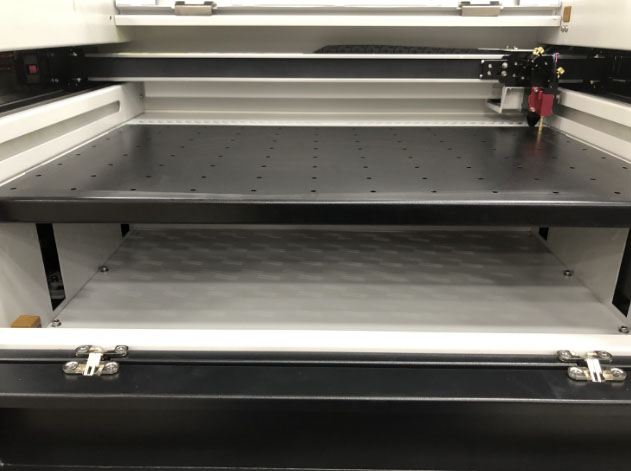
Laser at home position - Locate the access panel at the bottom of the laser bed. Using a 3mm Allen Key, unscrew the six Allen screws and set them aside. Remove the panel and set it aside.
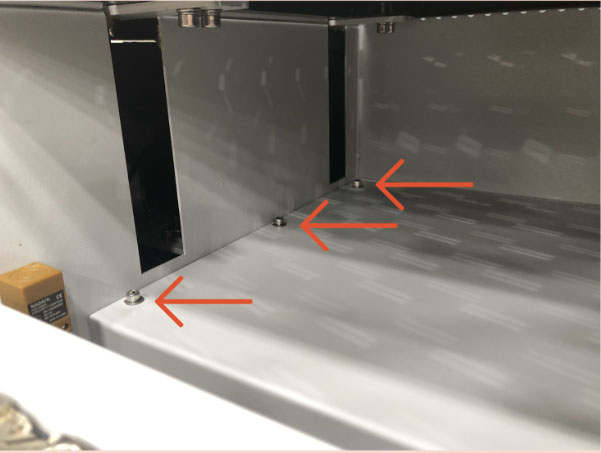
Bottom access panel, Allen screws - Return to the left-side panel of the laser. Locate the lead screw between the Z Driver and motor.
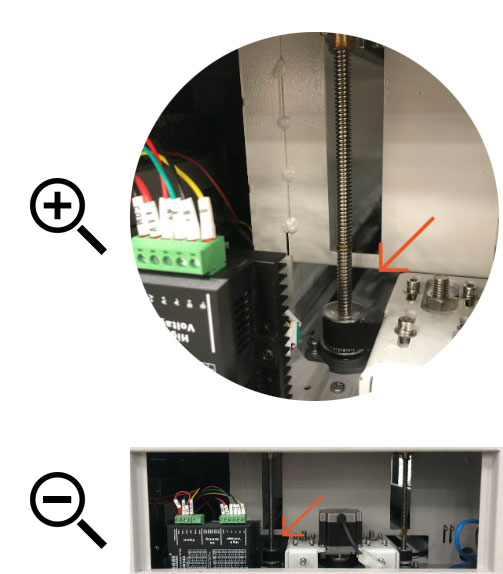
Lead screw between the Z Driver and motor - Feed the wires from the Super box through the hole created by the lead screw to the left, motor to the right, and belt at the bottom.
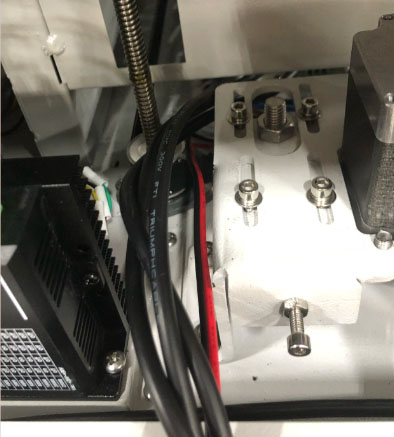
Routing Super Box wires between lead screw, motor, and belt - The Super Box will be affixed to the ceiling of the left bottom panel. Align the front of the Super Box with the left side of the motor. Unpeel the double sided tape and push the Super Box to the top of the cabinet.
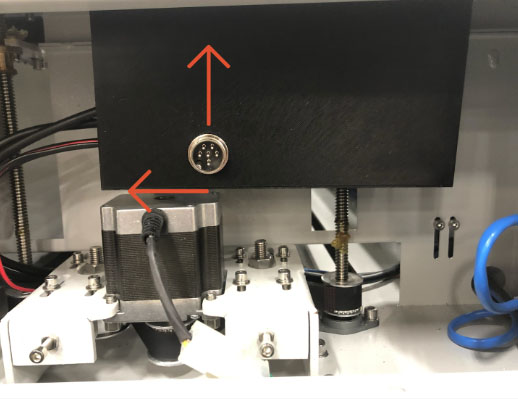
Super Box affixed to ceiling of left bottom panel - Return to the laser bed. Determine if your machine has a 2-Driver or 3-Driver Setup.
2-Driver Setup
- Locate the XY Driver (The black box located in the right hand side of the cabinet.) on the 2-Driver Setup. Locate the green terminal block at the far right of the driver.
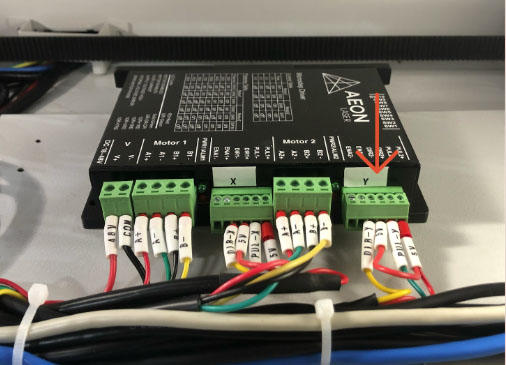
Remove green terminal block from Y Driver port - Remove the block from the driver. Be careful not to pull out any wires. Allow the terminal block to lay on the floor of the machine.
- On the Super Box, locate the wire with the Y Driver terminal block, with 6 terminal ports. Plug it into the empty Y Driver port in the cabinet.
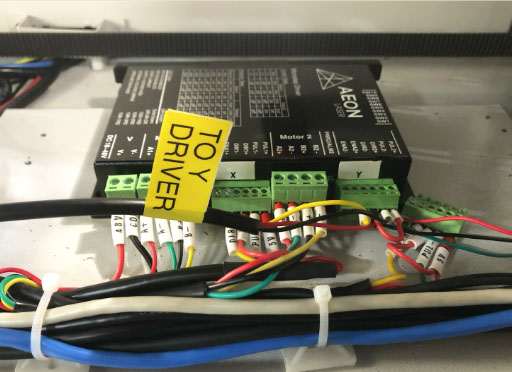
Plug Y Driver terminal block from Super Box into Y Driver port
3-Driver Setup
- Locate the Y Driver. (The black box with the Y sticker.) Locate the green terminal block on the Y Driver with four terminal ports.
- Remove the block from the driver. Be careful not to pull out any wires. Allow the terminal block to lay on the floor of the machine.
- On the Super Box, locate the wire with the Y Driver terminal block, with 4 terminal ports. Plug it into the empty Y Driver port in the cabinet.
- Locate the Controller. Locate the CN4 terminal block.
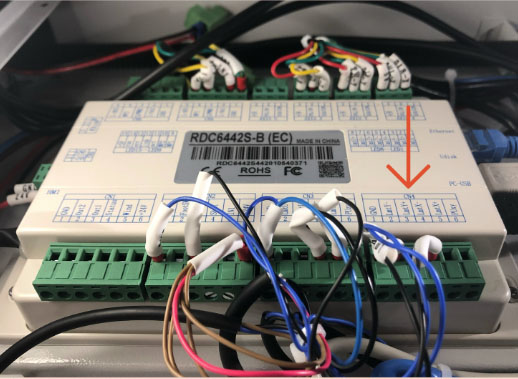
CN4 terminal block - Grabbing the green terminal block’s right side, gently pull the block away from the Controller. Be very careful not to pull on the wires. Spin the white wire labels so that you can read them all clearly.
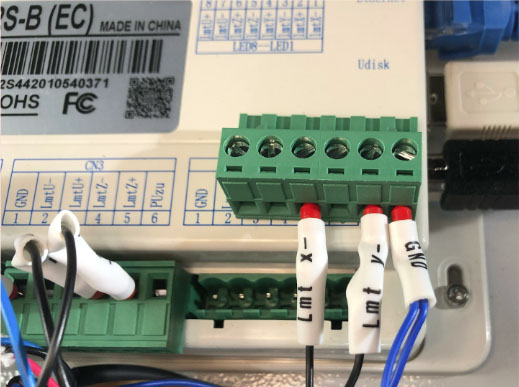
CN4 green terminal block with white labeled wires - Locate the CN3 terminal block.
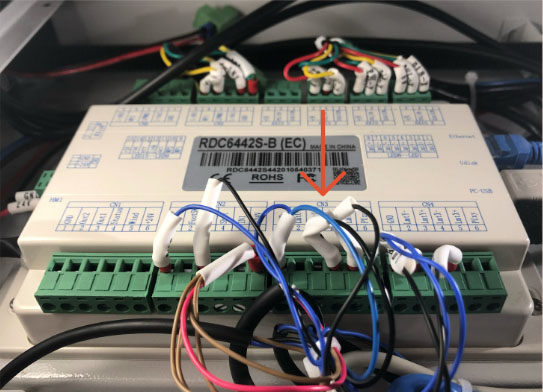
CN3 terminal block - Grabbing the green terminal block’s right side, gently pull the block away from the Controller. Be very careful not to pull on the wires. Spin the white wire labels so that you can read them all clearly.
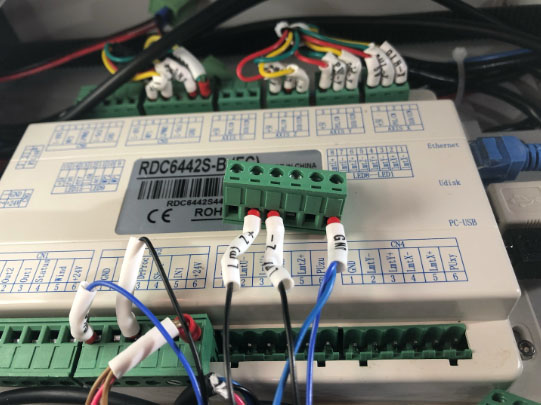
CN3 green block above the Controller - Using the supplied screwdriver, loosen the screw at the LMT Y- Terminal Port on the CN4 Terminal Block, approximately 5-6 turns.
- Keep the existing wire in the terminal port and insert the ferrule connector of the provided jumper wire into the terminal port with the LMT Y- wire.
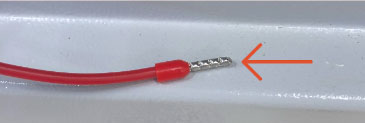
Ferrule connector 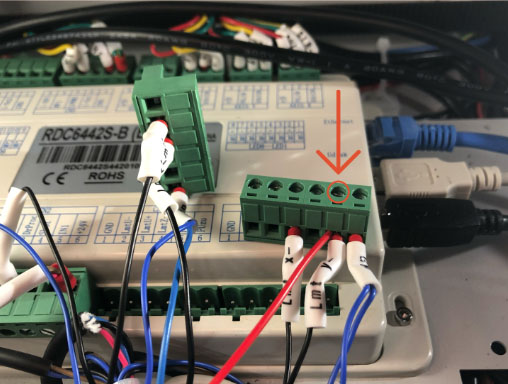
Ferrule connector in terminal port with the LMT Y- wire - Make sure both ferrule connectors are fully seated in the terminal port. Tighten the screw, and allow the terminal block to hang while you proceed to the next step.
- Using the supplied screwdriver, loosen the screw at the empty LMT U- port directly next to the GND wire, approximately 5-6 turns.
- Insert the other end of the jumper wire into the empty port, ensuring the ferrule connector is fully seated in the terminal port. Tighten the screw.
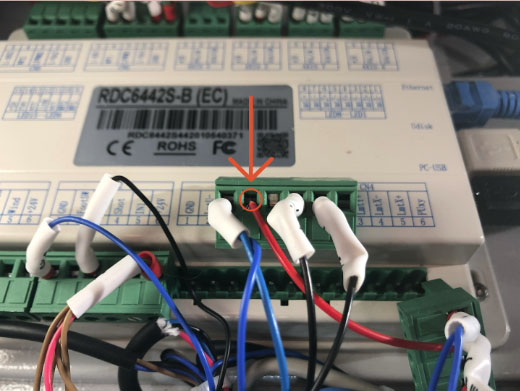
Jumper wire in empty port - Plug the CN3 terminal block back into the Controller.
- Plug the CN4 terminal block back into the Controller.
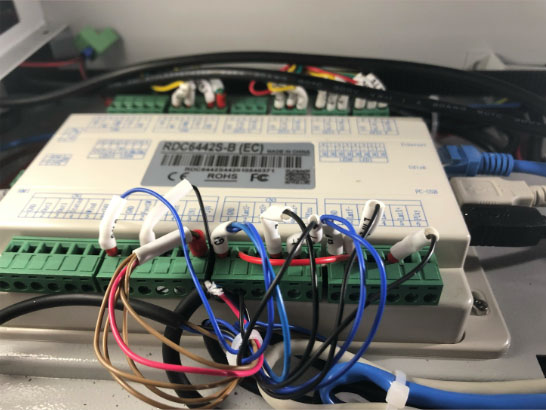
Controller with CN3 and CN4 terminal blocks plugged in - Locate the AXIS Y terminal block at the top of the Controller. Carefully pull the block from the Controller and allow it to lay on the machine floor.
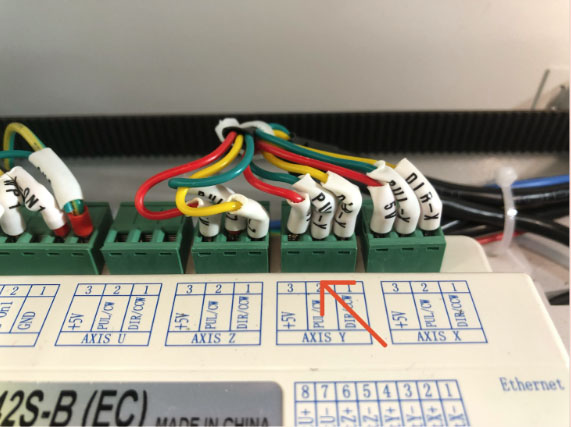
AXIS Y terminal block - Locate the AXIS Y terminal block attached to the wire leaving the Super Box, and plug it into the AXIS Y port.
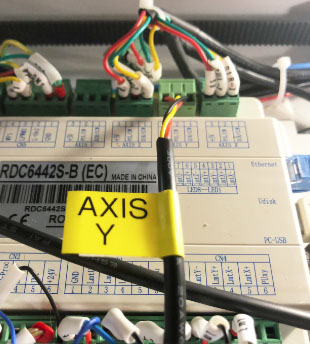
AXIS Y terminal block attached to Super Box - Locate the AXIS U terminal block at the top of the Controller. Carefully pull the block from the Controller and place it in your laser tool kit.
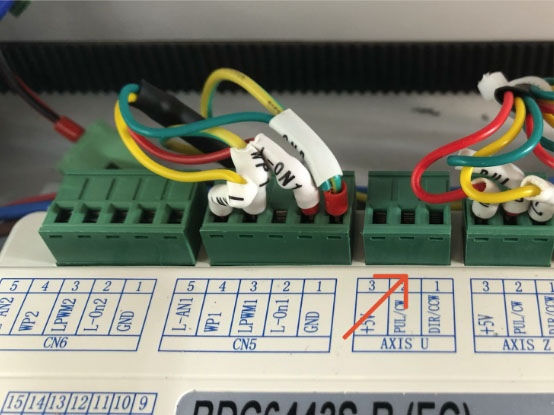
AXIS U terminal block - Locate the AXIS U terminal block attached to the wire leaving the Super Box, and plug it into the AXIS U port.
- Locate the CN0 terminal block on the left of the Controller.
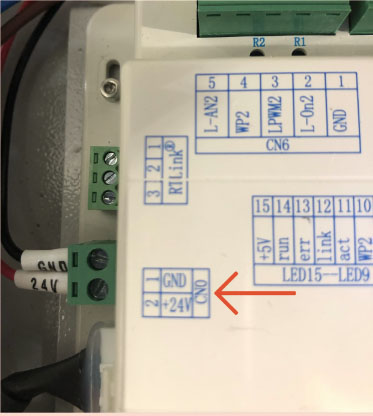
CN0 terminal block - Carefully pull the block away from the Controller. Be very careful not to pull on the wires.
- Locate the Super Box wire with the male and female green terminal blocks.
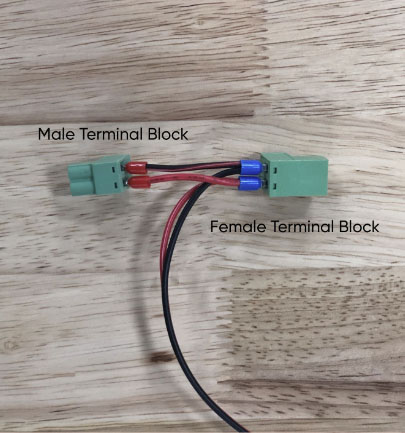
Male and female green terminal blocks - Plug the male terminal block that was removed from the CN0 terminal port into the female terminal block at the end of the wire leading from the Super Box.
- Plug the male terminal block leading from the Super Box into the CN0 terminal port.
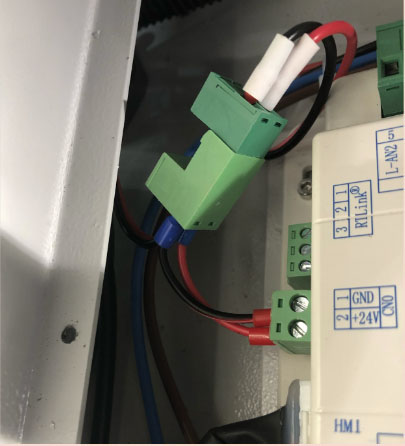
Plug male terminal block to the CN0 terminal port - In the lower left panel, ensure that the wires leaving the Super Box are routed behind the motor and away from the lead screw. In the laser bed, ensure the wires are safely tucked around the driver and controller.
- Replace the panel on the laser bed floor. Use a 3mm Allen key to tighten the screws into place.
- Leave the cabinet open.